
Multi-Tenant Agent Exchange (AX)
We don't have a product name yet, but we do have a way to describe what we're building. It's not an answering service, call center, or even a contact center platform - we're calling it an Agent Exchange, or AX.


Before we get started, here's what you can expect if you continue:
- Customer portal updates
- Mission Control updates
- Scripting Agent updates
- Multi-Tenant Agent Exchange (AX)
The last article I sent was a little hurried and I ended up cutting out a ton of content just to get it out in time. This update should hopefully be what we meant our last one to be.
As an aside, the takeaway I intended was that we're working on improving our support logistics as we lead up to launching our own platform. Expect more support-adjacent functionality to be built into our customer portal as we move forward.
"Words are hard." – Shakespeare, probably.

Customer Portal Updates
We've made a number of improvements to our customer portal at learn.calltheory.com that we wanted to share.
First, we've added a new Appointment Scheduling feature for customers to again be able to jump on our calendar.
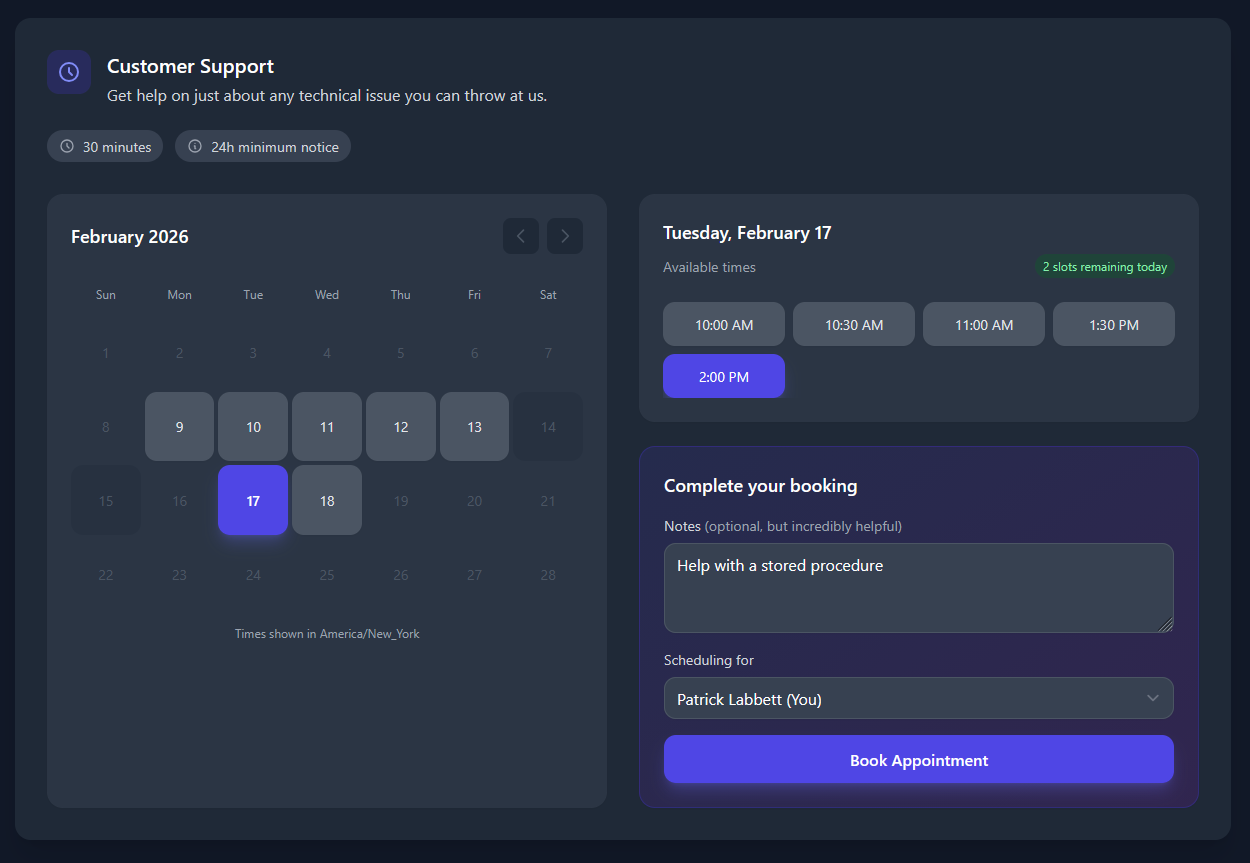
The new scheduling feature includes:
- A modern date-picker calendar interface for scheduling calls with us
- Team Owners/Admins can schedule and view appointments for their own Team Users
- Per-Team Availability, so we can provide after-hours appointments for our Enterprise customers.
- View appointment history for the past 90 days and manage upcoming appointments.
- Meeting links are powered by Jitsi, similar to Office Hours and Scripting Sessions
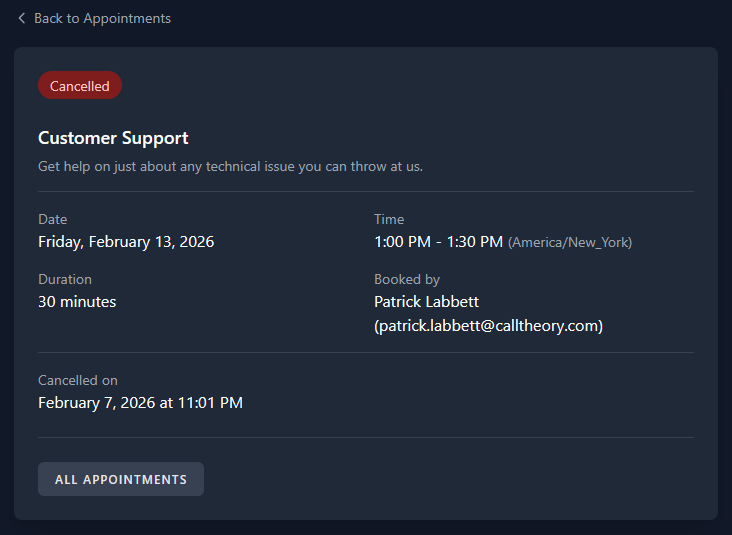
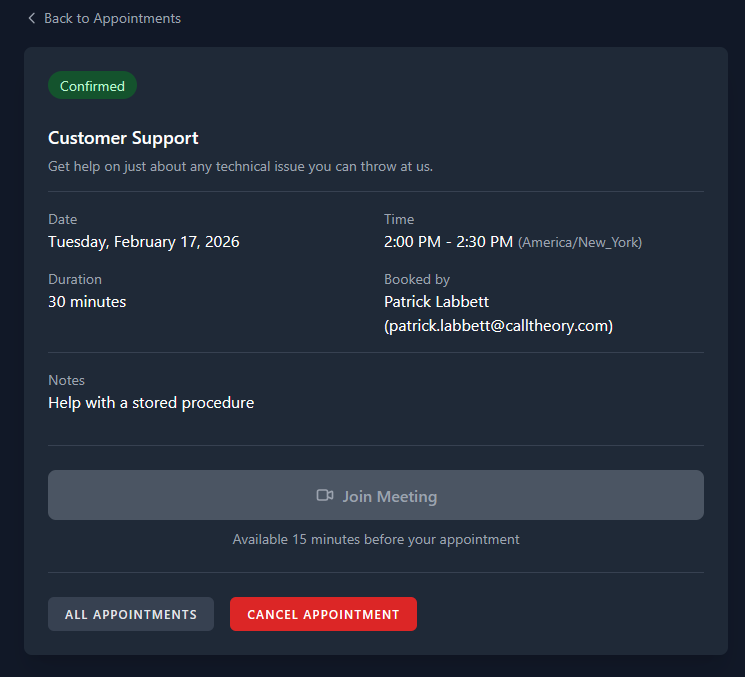
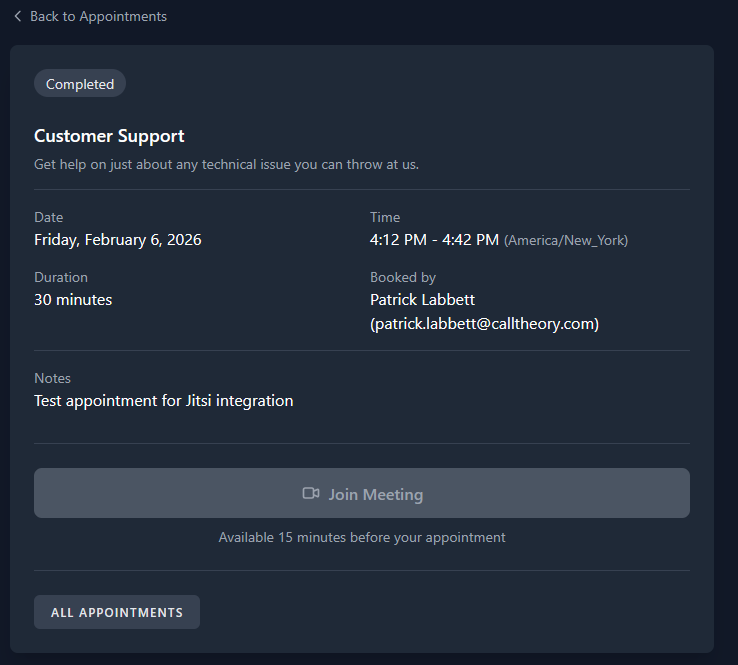
View cancelled, completed, and confirmed appointments
We've also integrated our Office Hours, Scripting Sessions, and Dedicated Meetings calendar, allowing us to show you everything that's going on with your Call Theory team directly on the dashboard.
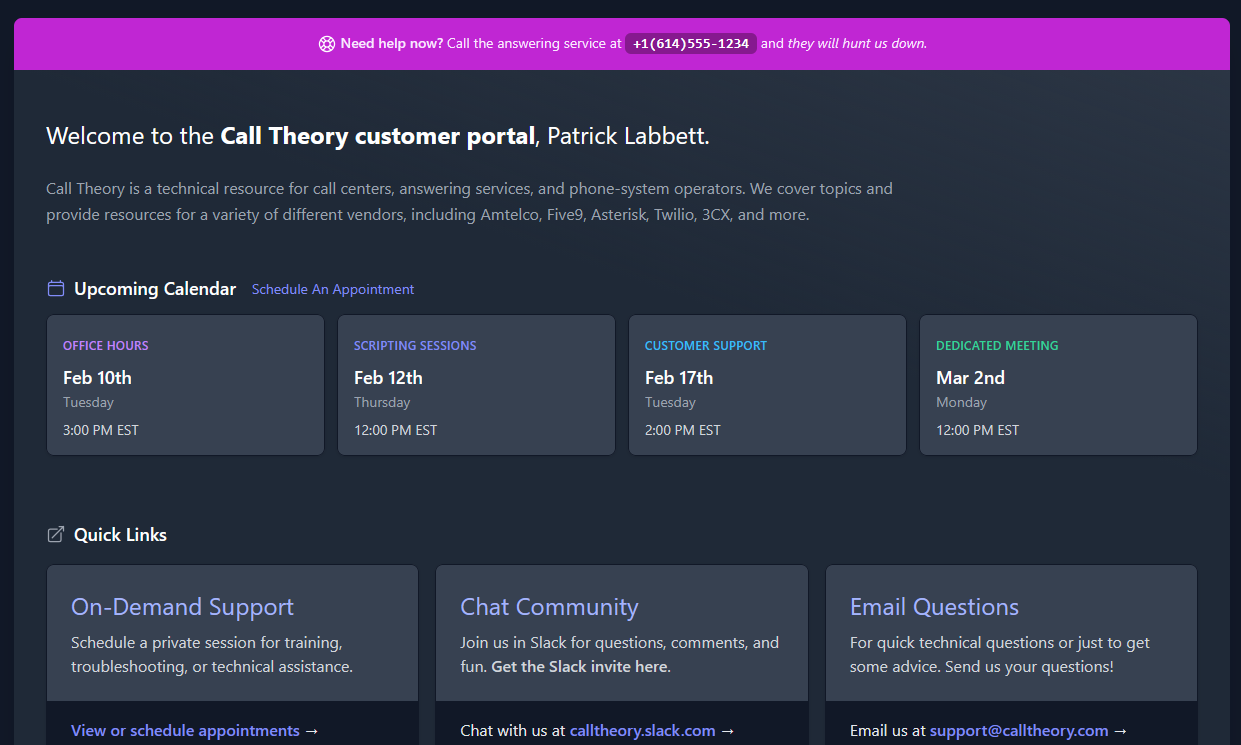
Next, we've re-structured the site-navigation to accommodate the addition of new documentation:
- We have separated the support information from our technical documentation.
- All the ways for customers to get support are now at learn.calltheory.com/support
- Our generalized technical documentation still lives at learn.calltheory.com/docs
- Amtelco documentation was moved to it's own area and can be found at learn.calltheory.com/amtelco-docs
- We've added a new Voice Agents section outlining the different ways to work with Conversational AI Agents which is available at learn.calltheory.com/ai-agents/
Much of our new documentation is based on our work building Call Center Village over the past year.
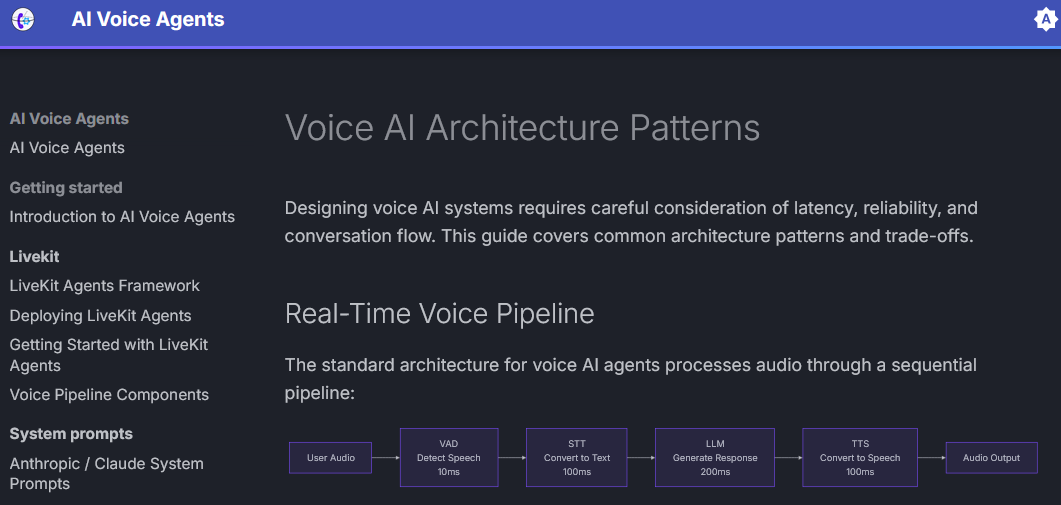
We've also expanded our technical documentation with all the telephony content we found in our emails during our migration away from Google to Proton. Like, a lot of it.
There are a few potential bookmarks that you may want to update as a result of this change!
learn.calltheory.com/docs→learn.calltheory.com/supportlearn.calltheory.com/docs/office-hours→learn.calltheory.com/support/office-hourslearn.calltheory.com/docs/scripting-sessions→learn.calltheory.com/support/scripting-sessions
What's next for our customer portal? We plan on integrating customer-specific infrastructure documentation to replace our existing wormhole.calltheory.com documentation portal.

Mission Control Updates
On to our utility dashboard! While we're not actively finding new things to make, we are still building things enterprise customers ask and/or pay for us to build. These features then get pushed out to the open-source Mission Control repository.
I think this is how trickle-down code-enomics works...
Voicemail Digest
As part of the latest Genesis migration we were part of, we've added a new feature called Voicemail Digest. In short, it's a simple utility that functions similar to the Amtelco Voice Logger Scheduler, allowing you to setup an account to send the voicemails by email on a regular schedule.
The digest itself has a few features we didn't have in the original scheduler, including automated transcription and included metadata.
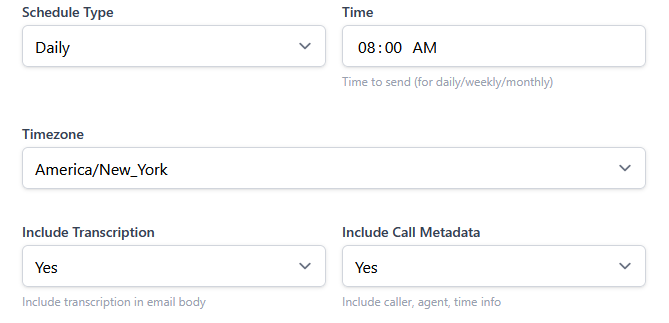
To my knowledge, Amtelco is also working on adding back this feature to Genesis but I'm not sure of the status, efficacy, or timeline.
Edit Your Schedule!
We also added another new utility that allows you to decrypt encrypted content in the Amtelco database, notably the schSchedule table. This allows easier updates to previously saved records that you can't otherwise copy/paste or have to go hunting in the database to find.
Especially useful for reports, which previously would require you to re-create the record from scratch (usually involving screenshots of prior settings.)
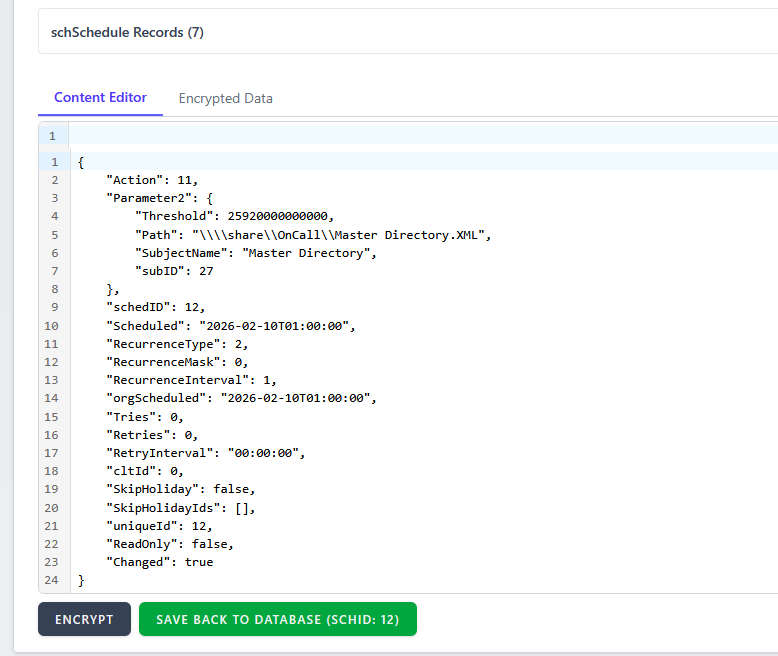
schSchedule.RecordJSONIn addition to schSchedule.RecordJSON, you can also decrypt sysConfig.Config and sysConfig.Config2 allowing you to see your raw licensing data (which is often easier to read than the licensing page.)
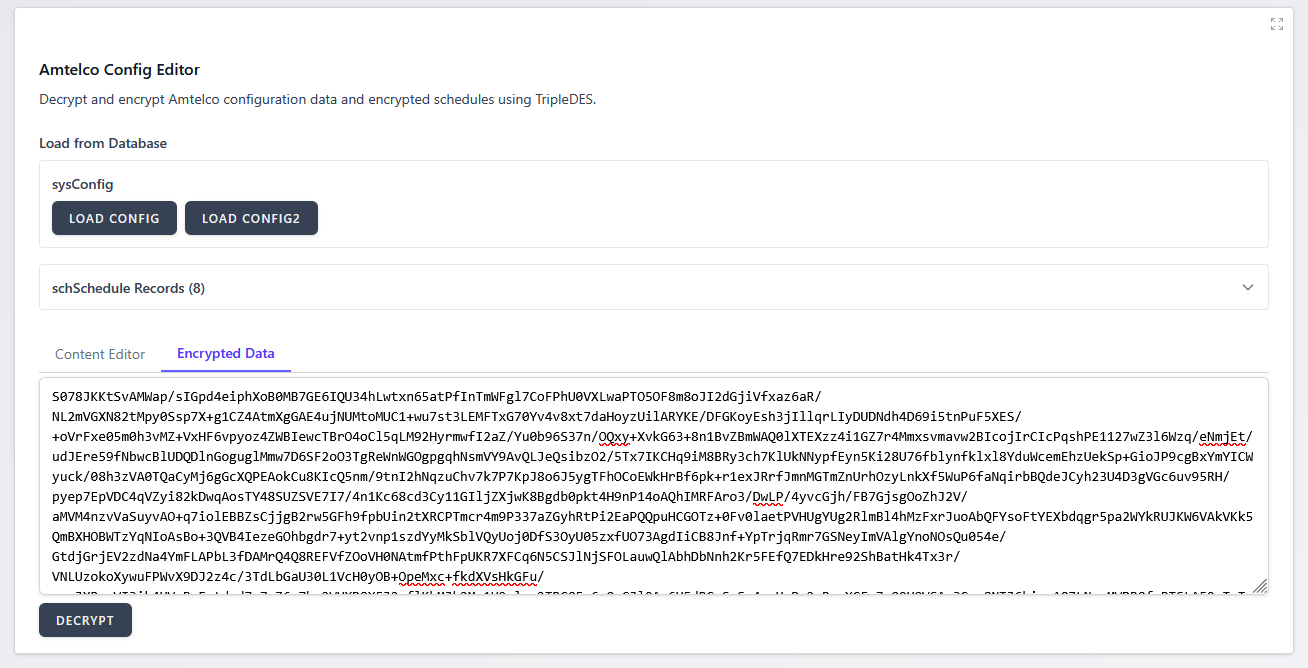
sysConfig.ConfigWe do not have a mechanism for modifying your licensing. You can only save schSchedule records back to the database.Related: https://support.amtelco.com/system/files/Other/Incident%20202405-1.pdf
Other Mission Control Changes
Next, we made some behind-the-scenes updates to our Cloud Faxing utility to better account for the fax lifecycle. Instead of marking a message as delivered when the fax API provider returned successful, we're now confirming the delivery status before pushing the messages into the Copia processed folders.
This allows messages to properly record sent in the Genesis message history instead of relying on post-failure notifications.
Another background update, we've updated our MCP integration to work with http transport (no longer requiring SSE.) We also added a second MCP tool, called get_call_recording.
I'm still trying to figure out the best way to use MCP and what kinds of tools might be useful to expose. Are you using it in your AI adventures at all? Hit reply and let us know what's up.
Finally, documentation for Mission Control has been updated for our new features and it can be viewed publicly at learn.calltheory.com/mission-control.

Scripting Agent Updates
Probably our biggest "secret project" over the last several months has been our AI Scripting platform for Intelligent Series. We've decided to call it Scripted Agent, with the eventual cloud offering being Scripted Cloud.
Also, it let's me re-use one of my previously abandoned domain names - which is always a plus, right!?
So, what exactly is the Scripted Agent web application? In a nutshell, it's an alternative scripting front-end for Intelligent Series that takes advantage of custom AI-tooling for rapid scaffolding.
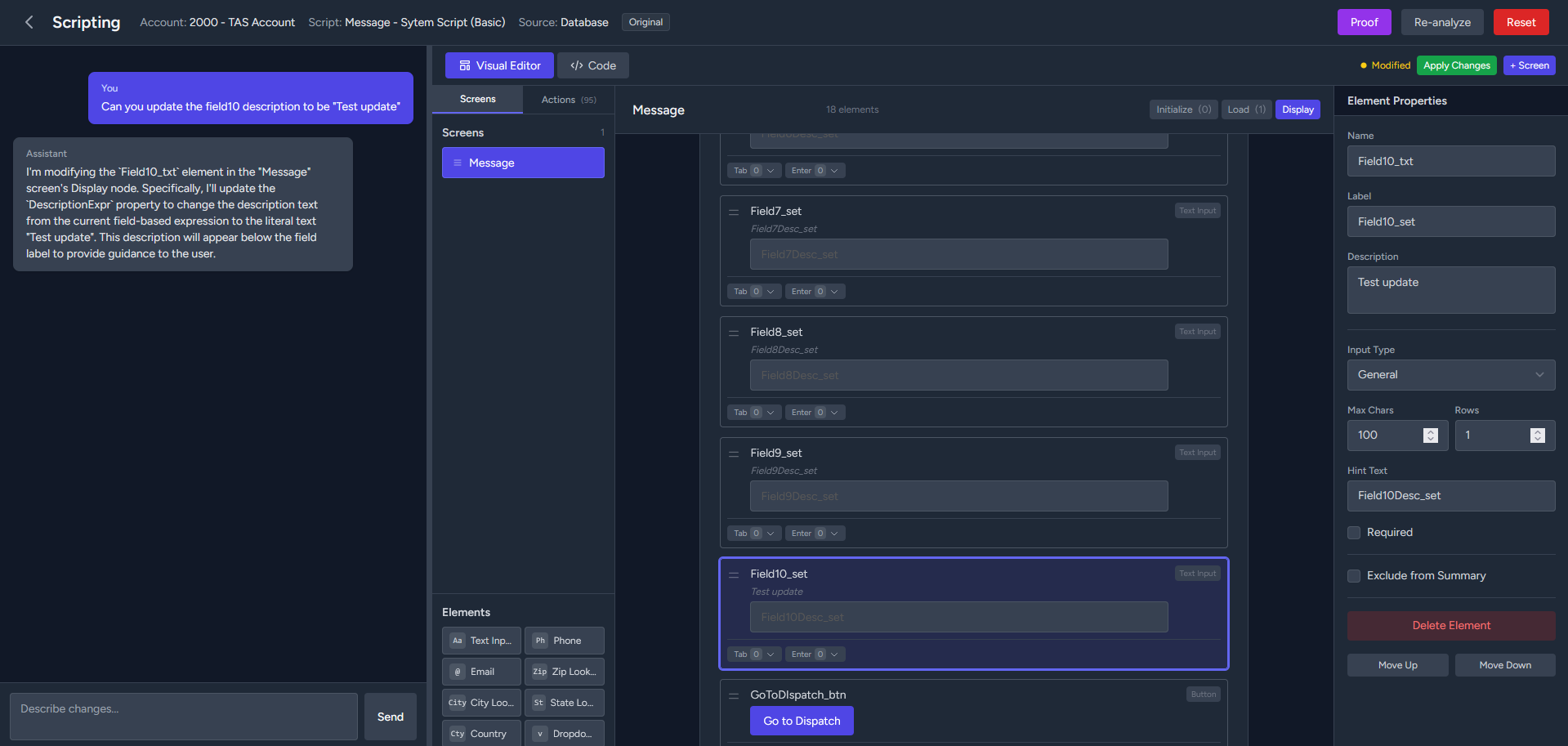
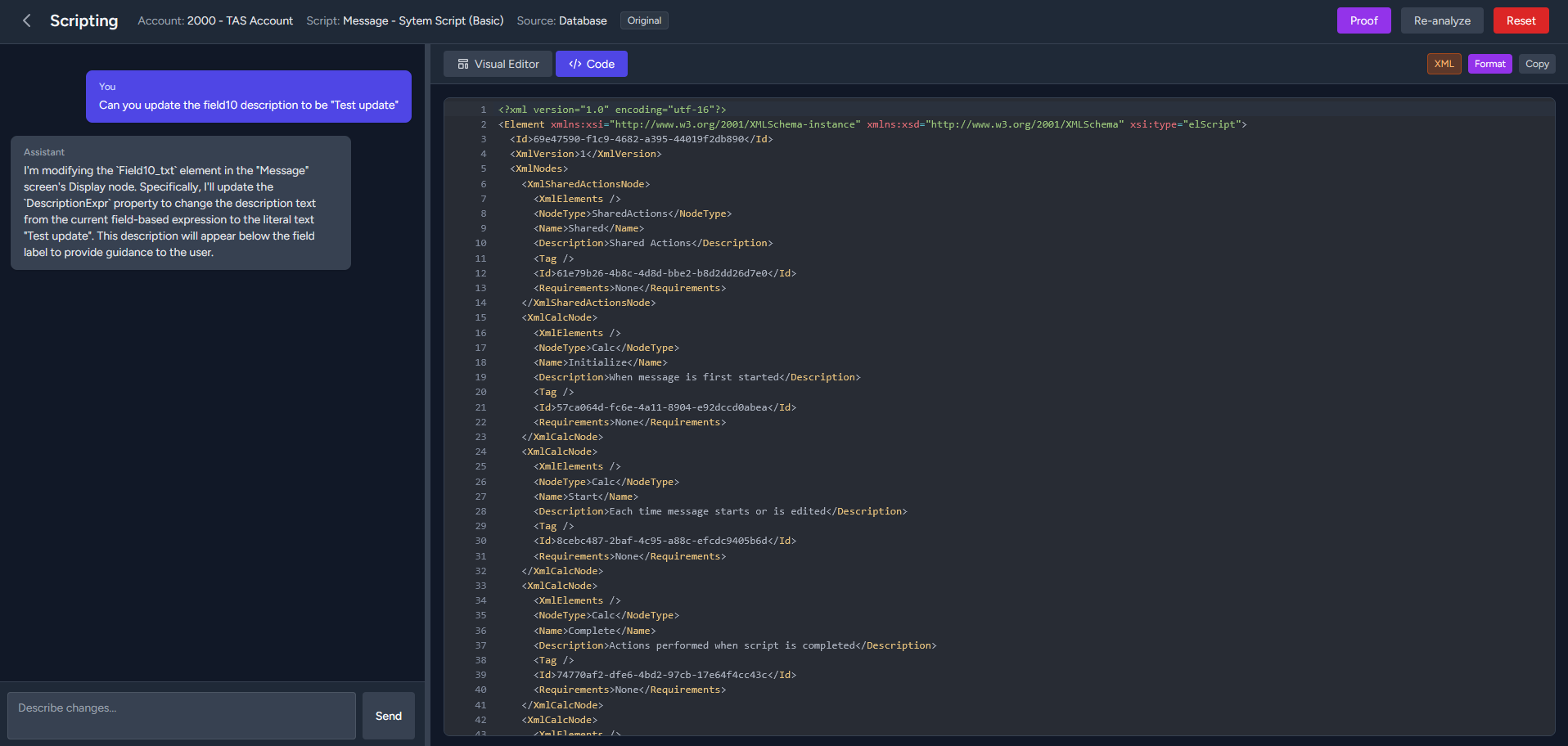
The Scripted Agent script editor and code view
An even simpler explanation? You can script by talking to an AI chat bot, and then refine manually – all in the same interface.
We've designed it to be relatively safe: scripts are always saved as new versions to allow easy fall back and a Human-in-the loop workflow by default.
But wait, there's more!
In addition to a scripting interface, we've designed a data export tool, allowing fast CSV export via download or email.
Crystal Reports in IS Reporting generally lack a modern CSV option, often including report metadata in the exported file making it inadequate for automated systems without further modification.
Another big features is our data import tool, currently geared towards Telescan customers looking to make the leap to Genesis. Just export your configuration/accounts through standard Telescan reports and upload them (individually, or zip them up and upload them as a single file.)
One of the goals is to reduce the friction required to move accounts into (and out-of) the Amtelco ecosystem from other platforms.
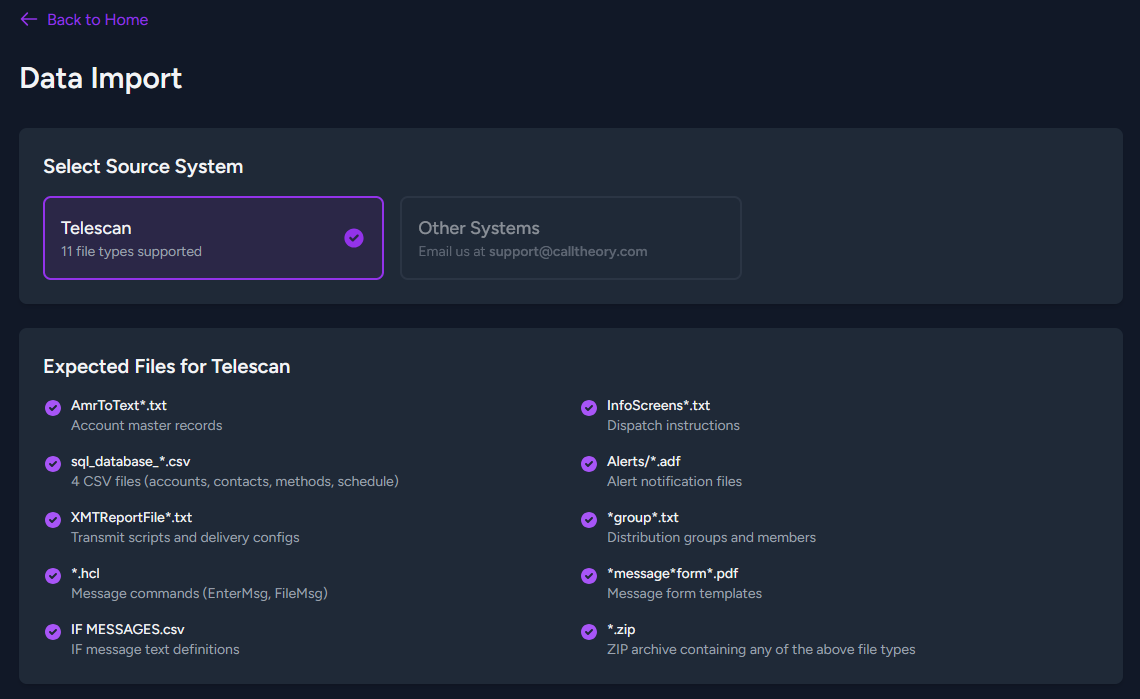
Automatic Account and Script Creation?
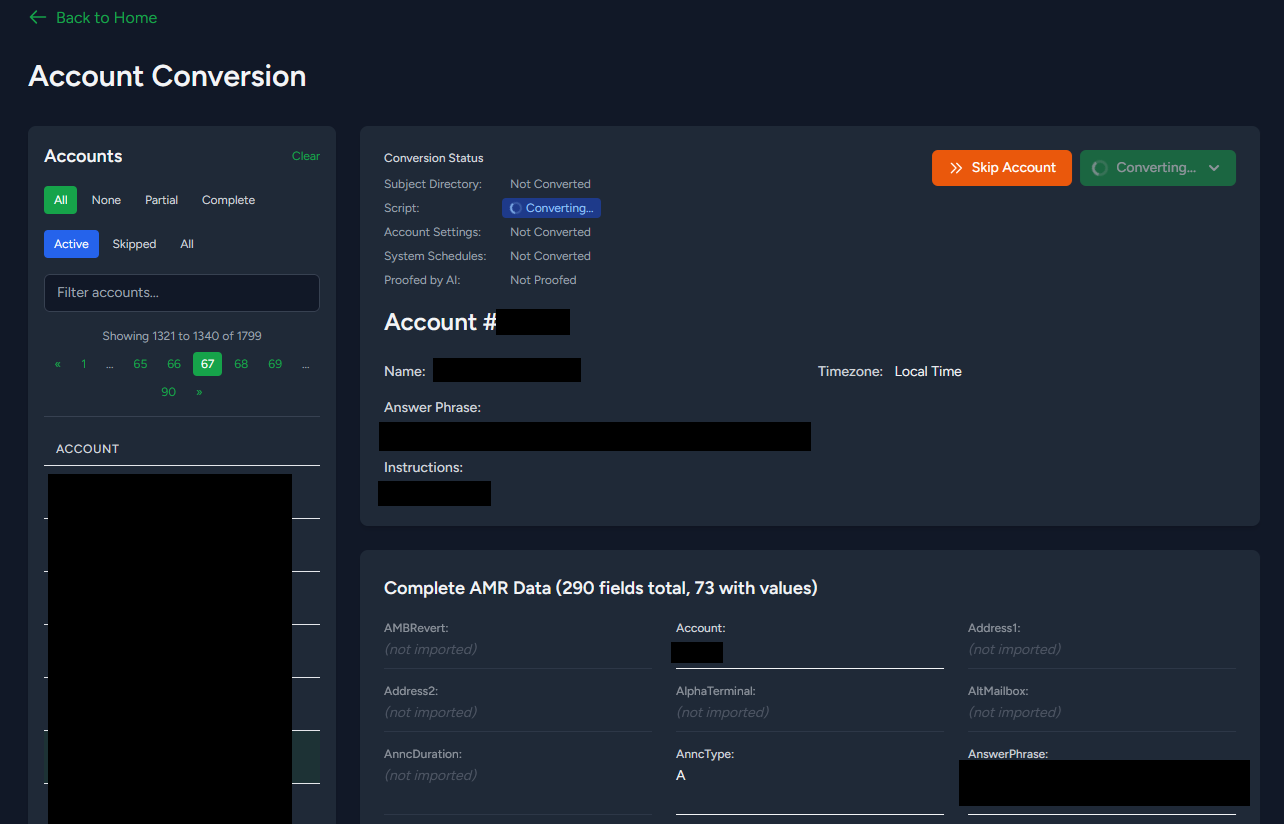
Once you've imported the Telescan data into Scripted Agent, you can use our Account Conversion tool to automatically script the account in Intelligent Series. Keeping with our Human-in-the-loop theme, scripted accounts are saved as a new version and a real-person must activate the script in Intelligent Series.
Since generative AI is by definition non-deterministic, we've made it easy to clear and re-generate scripting if you don't like the initial outcome. Or you can manually adjust using our scripting interface, or even load up IS Supervisor and make edits there.
But how does it know?
We've tried various approaches to teaching a robot how to program Intelligent Series scripts:
- Fine-tuning a capable coding model
- Loading instructions directly into the System Context Window
- RAG search using embeddings in a vector database
- A combination of Agent Skills and MCP tools
- Sub-agents and secondary agents for automated feedback loop
The most capable scenario has been using RAG search through embeddings that we generate from what is effectively Agent Skills files for every Intelligent Series scripting element, along with a secondary proofing agent to check it's work.
The main problem I had with using Agent Skills only is that I ran out of context length quickly. By generating embeddings locally and saving them in pg_vector we can provide high-quality instructions at minimal context usage.
There's likely some skill ceiling here that I'm not even close to reaching which would yield better results using one or more of the other methods. We'll continue to learn and refine.
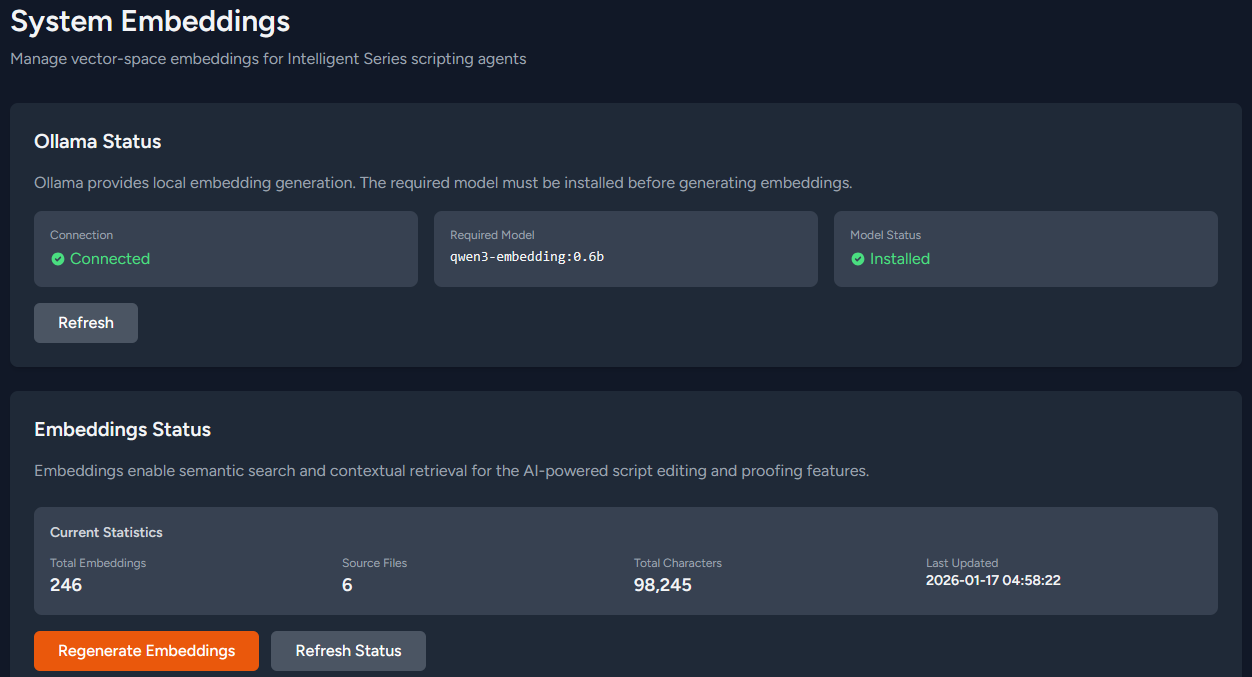
The other nicety as a result of locally using embeddings is that we can more reliably plug in other AI service providers without needing them to provide support for embeddings!
Although, I do recommend using local hardware and open-weight models whenever feasible.
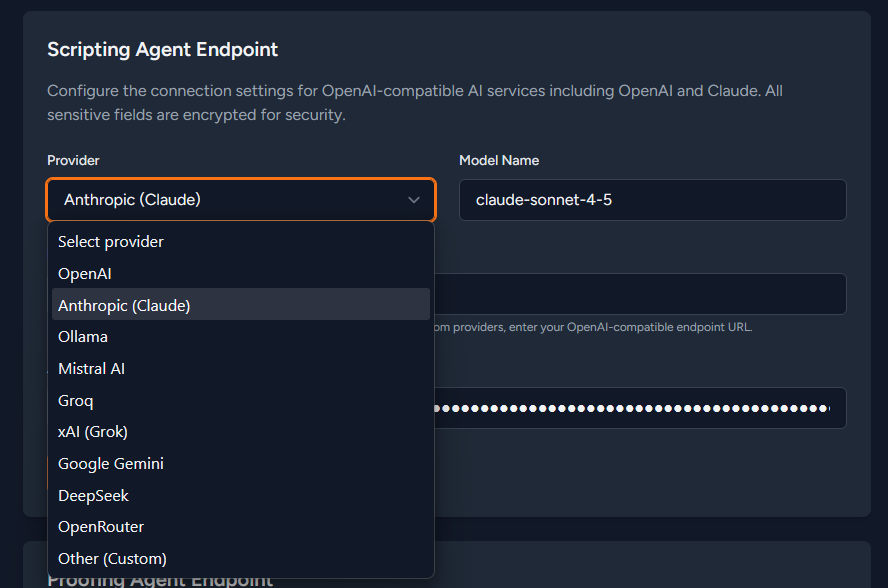
This feature got us some hands-on experience with building scripting features as we try to figure out how scripting should work in our own platform.

Multi-Tenant Agent Exchange (AX)
Speaking of our own platform...no, I still don't have a better name than ToneDef. Let's not dwell on it for now, okay?
What we did come up with, however, is an updated way to describe what we're building. In the past, you've probably heard a number of these terms and their variants:
- Answering Service
- Call Center
- Contact Center
- BPO
- Dispatch Center
- Virtual Receptionist
- Live Operators
Now, we have a whole new world of artificial intelligence products and services to consider. And it's likely that the [live] operators will have to co-mingle with the [AI] agents in some capacity.
Switching subjects briefly: I've been trying to use "Live Operator" and "AI Agent" to refer to humans versus robots. So when I describe things, an "agent" is always going to be an "AI Agent" and an "operator" is always going to be a "Live Operator."
I have to keep saying it so others will follow along...
Getting back to the point at hand, when we add AI Agents into the mix, we suddenly have a very different looking platform, one that I'm calling an Agent Exchange (AX) — the modern iteration of call-center platforms where agents, protocols, and humans all merge to provide seamless customer service.
I swear on my dog's life: I didn't have AI generate any of this. That's a big reason these articles take (me) forever to write.
There's some inspiration taken from the common terms I learned growing up around technology like MX (Mail Exchanger) in DNS and pbx (Private Branch Exchange) in telecom.
So, yeah: we're building a Multi-Tenant Agent Exchange (AX) platform for live operators and AI agents.
Our first-ever public test run is in April at CypherCon/BSides MKE as part of Call Center Village.
Hopefully we'll have a name figured out by then.